Frequently asked questions
Why a document did not change stock, where negative stock comes from, how to fix a posted document, how to delete and restore.
I created a supply but stock did not change
Check the "Posted" toggle in the document header. An unposted document is a draft and does not affect the records. Switch it on and click "Save". The same applies to shipments, payments and every other document.
The "Stock" report shows a negative number
You shipped more than you received. Most often the supply is not posted yet or is dated later than the shipment. Open the product in the catalog, the "History" tab: all movements are listed in order. Post the supply or fix its date, and the stock becomes positive.
To stop the program from selling what is not there, enable "Forbid shipping goods that are out of stock" in "Settings" → "Account settings".
How to fix a mistake in a posted document
Open the document, correct the quantity, price or counterparty and click "Save". The program reposts the document itself: the old effect on stock and debts is cancelled and the new one recorded. If the document is old (in a closed period), editing is blocked; see below.
How to delete a document
In the card: "Change" → "Delete". In the list: tick the documents and "Change" → "To trash". A deleted document stays in the "Trash" (an item in the "Dashboard" row) for 7 days and can be restored from there. A posted document is unposted automatically before deletion, so stock and debts return to their previous state.
Why a product or counterparty cannot be deleted
Because it is already used in documents, and deleting it would break the history. Instead, tick "Archived" in the card: the record disappears from selection in new documents, and old ones stay intact.
How a status differs from posting
Posting affects the records: stock, cost, debts. A status is only a label for people: "New", "Assembled", "Delivered". You can set the status "Delivered" on an unposted document and stock will not change. So post first, then change statuses.
How to find a document if I only remember the amount or counterparty
Click "Filter" in the document list: it has the "Counterparty", "Document amount" (from - to) and "Document date" fields with the quick periods "yest · today · week · month". Or open the counterparty card: the "Documents" tab shows everything for them.
What a "closed period" is and why a document cannot be edited
When a month is closed (for example, after reports are filed), its documents are locked: they cannot be changed, posted or backdated. This protects the figures in filed reports from changing unnoticed. The period is closed in the document list settings (gear → "Closed period"). If a document really has to be fixed, open the period, fix it and close it again.
How to give a colleague access
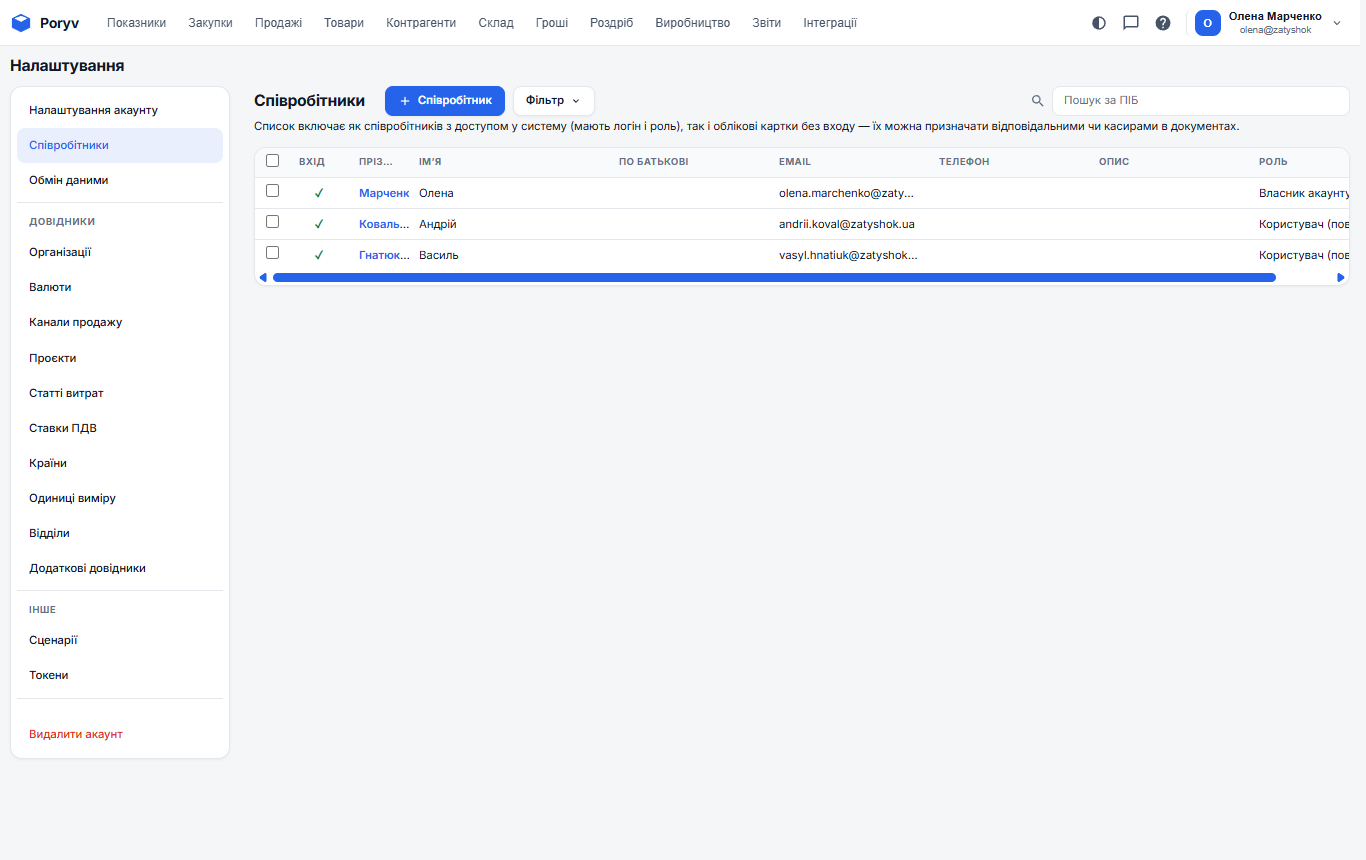
"Settings" → "Employees" → "+ Employee". Enter the name and e-mail; the colleague gets a letter and sets a password. What they see and can change is defined by the role; see Access rights. A storekeeper, for instance, needs the "Warehouse" section and supplies, while a manager needs sales and counterparties without cost.
Can I work from a phone
Yes, in a browser: the interface adapts to the screen width. For daily work with tables a tablet or a computer is more convenient.
Where to turn if I did not find the answer
Use the knowledge base search (the "?" icon in the header); it searches all articles. Every list has its own "?" button that opens the article about that very section.
Updated: