Basic concepts in plain words
What a document, posting, counterparty, stock, reserve, cost, settlements and status are, without accounting jargon.
These are the words you will meet in the program. Each is explained with the example of the "Zatyshok" home goods shop.
Organization
Your company: Zatyshok LLC. Documents are issued on its behalf and its details are printed on invoices. There can be several organizations if you have several legal entities.
Counterparty
Anyone you work with: a customer, a supplier, a carrier. The "Lvivskyi Dvir" hotel that buys towels from you is a counterparty. "Keramik Plus" LLC that sells you mugs is a counterparty too. The same counterparty can be both a customer and a supplier.
Product and service
A product is something that sits in the warehouse and has a quantity: a mug, a towel, a candle. A service is something you do but do not store: delivery, gift wrapping. Services are sold in documents too, but have no stock.
Warehouse
A place where goods are kept. Zatyshok has two: "Main warehouse" and "Shop on Horodotska". Stock is tracked separately: 2 white mugs in the main warehouse and 20 in the shop.
Document
A record of an event that actually happened. Each event has its own document type:
| Event | Document |
|---|---|
| A supplier delivered goods | Supply |
| A customer ordered goods | Customer order |
| You handed goods to a customer | Shipment |
| Money arrived on the bank account | Incoming payment |
| Money arrived in cash | Cash receipt |
| You paid a supplier | Outgoing payment or Cash expense |
| You moved goods between your warehouses | Transfer |
| You counted goods in the warehouse | Stock count |
| Goods were damaged or lost | Write-off |
| You found goods that were not on record | Stock receipt |
Every document has a number and a date. The program numbers them in order: 00001, 00002 and so on.
Document lines
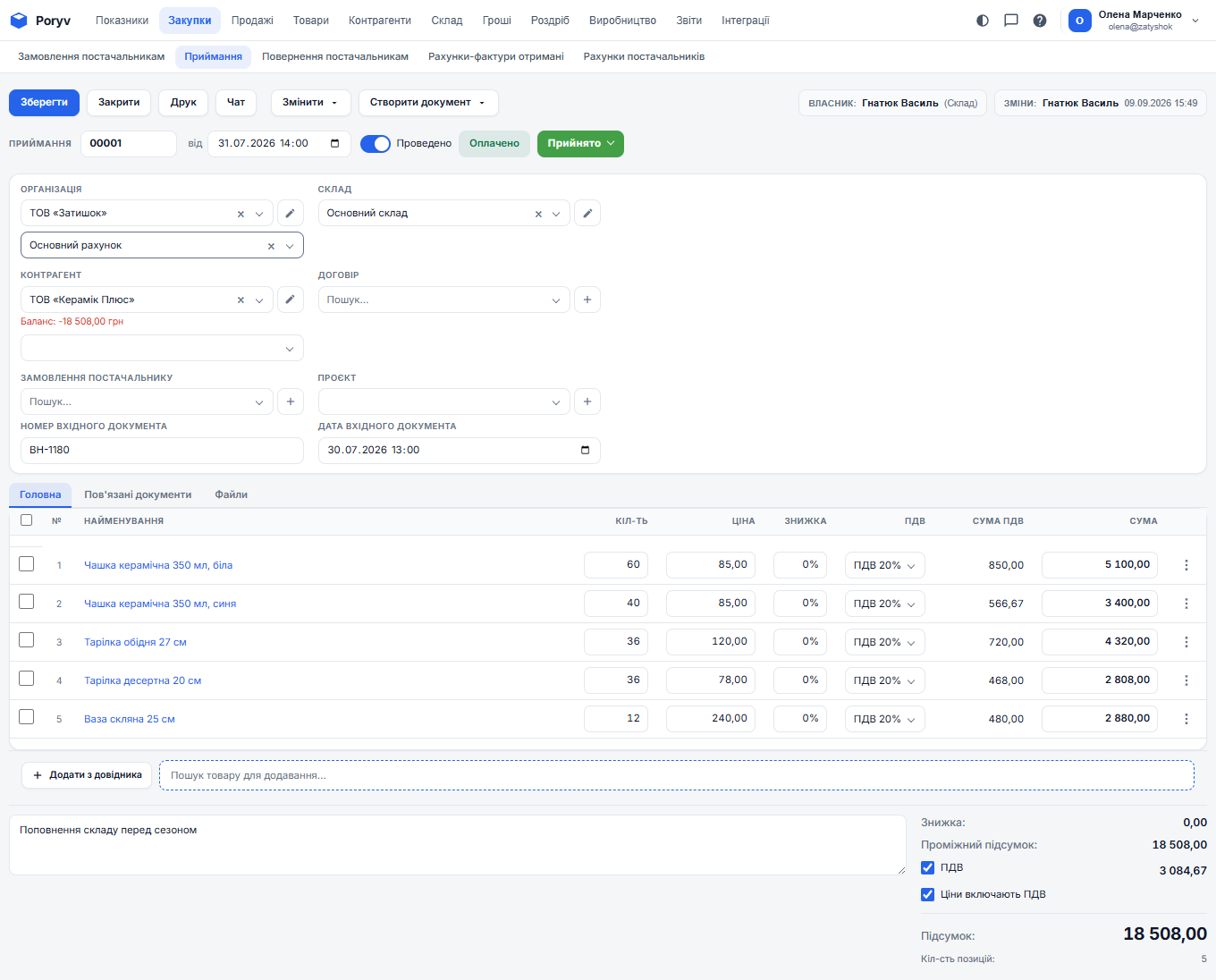
The table at the bottom of a document: which products, how many, at what price. Supply no. 00001 has five lines: white mugs, blue mugs, dinner plates, dessert plates, vases. The document total is the sum of all lines.
Posting
The most important word in the program. To post a document means to confirm: "yes, this happened, take it into account". Only after posting:
- a supply adds goods to stock;
- a shipment removes goods from stock;
- a payment changes the counterparty's debt.
Posting is switched on with the "Posted" toggle in the document header. An unposted document is a draft. You can fill it in gradually and post it once everything is checked. Posting can be switched off with the same toggle: the document becomes a draft again and its effect disappears.
Stock, reserve, expected, available
Four numbers about every product in stock:
- Stock - how many units are physically in the warehouse now.
- Reserve - how many of them are already promised to customers in posted orders but not yet shipped. The cafe ordered 12 dessert plates: they are reserved and should not be sold to someone else.
- Expected - how many are due to arrive under purchase orders. You ordered 48 white mugs from Keramik Plus: they are expected.
- Available = Stock − Reserve + Expected. How many you can promise to the next customer.
Cost
What the goods you sold cost you. The program calculates it automatically by receipt batches: if you received 60 mugs at 85 UAH and then 48 at 90 UAH, the first 60 mugs sold are written off at 85 and the next ones at 90. This is FIFO ("first in, first out"). Nothing is calculated by hand.
Settlements and balance
Who owes whom. You shipped goods worth 24,888 UAH to the hotel: the hotel owes you. The hotel paid 25,008 UAH: the debt is settled. The current balance is shown in the counterparty card and right in the document under the "Counterparty" field. A positive number means the counterparty owes you; negative means you owe them.
Status
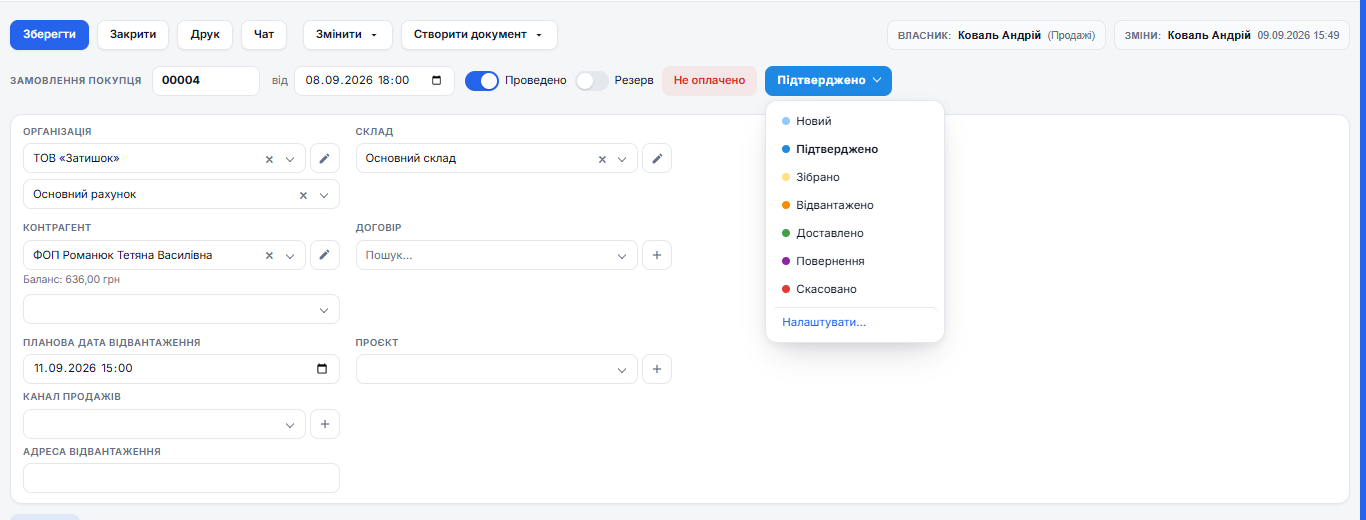
A colored label for the state of a document or counterparty: "New", "Confirmed", "Shipped", "Delivered". Statuses are for people: unlike posting, they do not affect stock or money. The set of statuses can be changed to suit you.
Report
A ready-made table that answers a question: "how much of what is in stock" (the "Stock" report), "what came in and went out this month" ("Turnover"), "how much we earned on each product" ("Profitability"). Reports change nothing; they only show.
Updated: