How to find out how much is in stock
The "Stock" report in plain words: stock, reserve, expected, available, cost. Stock by warehouse and transfers.
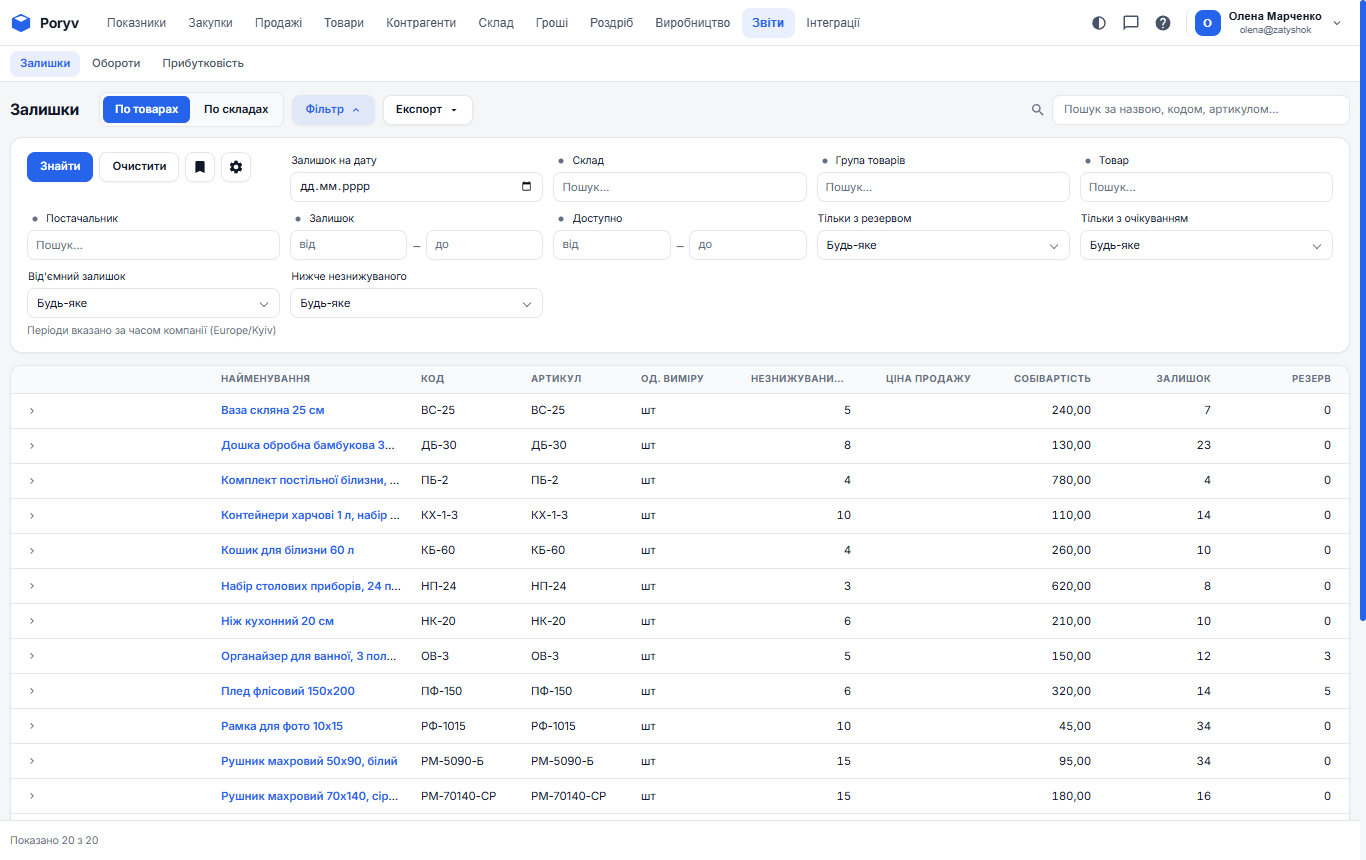
The main warehouse question is "how much of what do we have". The answer is the "Reports" → "Stock" report. It is not calculated by hand: every posted supply adds, every shipment removes, and the report always shows the current state.
What the columns mean
- Stock - how many units are in the warehouses now.
- Reserve - how many of them are set aside for posted customer orders. Zatyshok has 12 dessert plates reserved for the cafe's order.
- Expected - how many are due under purchase orders. 48 white mugs are ordered from Keramik Plus.
- Available = Stock − Reserve + Expected. That is how many you can promise a new customer.
- Cost - what one unit costs by receipt batches; Cost amount - the value of the whole stock. This is money "frozen" in goods.
- Minimum stock - the minimum from the product card. If stock is lower, it is time to reorder.
The "›" arrow on the left expands the row by warehouse: how many are in the "Main warehouse" and how many in the "Shop on Horodotska".
Stock by warehouse
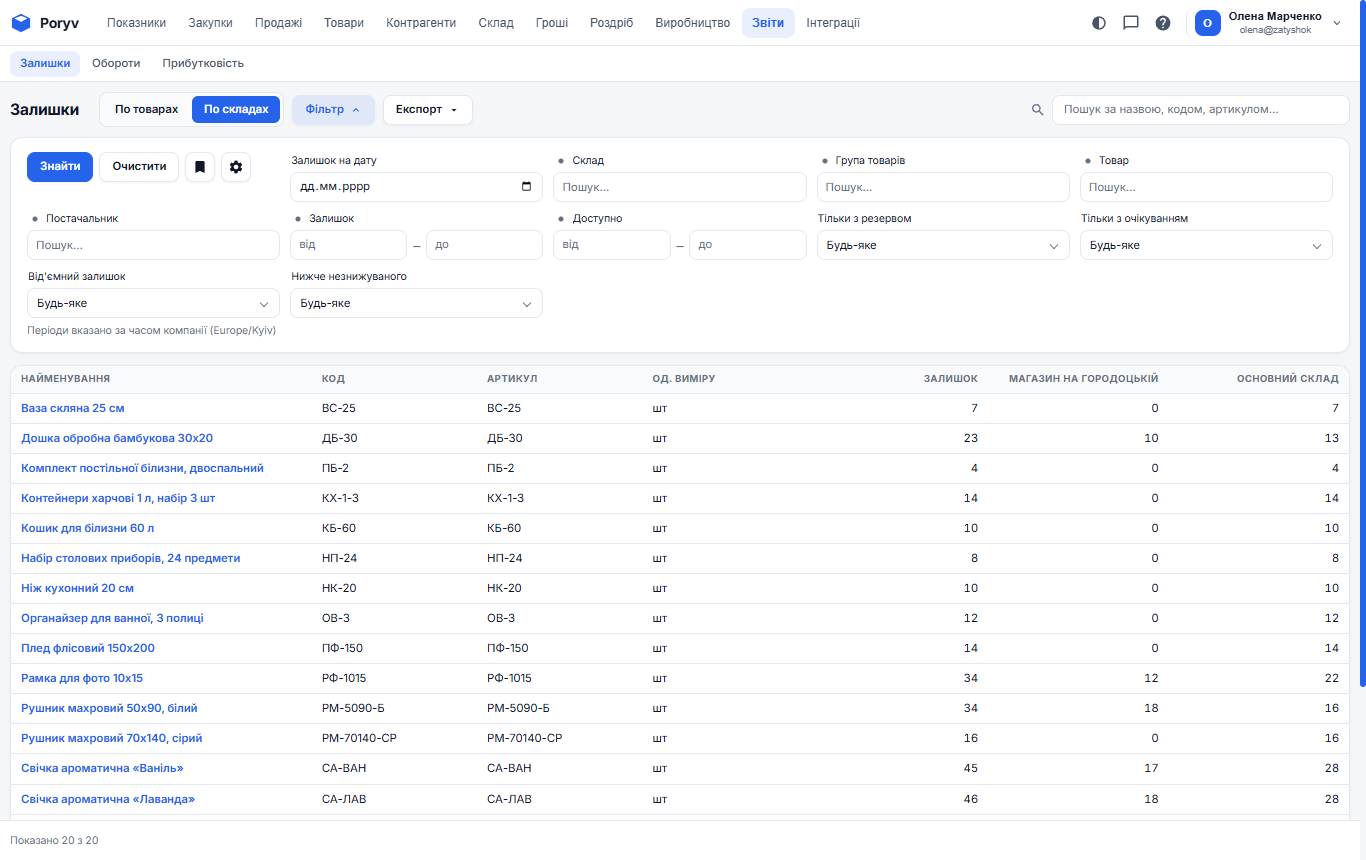
The "By warehouse" switch at the top shows a table with a row per product and a column per warehouse. Handy when deciding where to ship from.
Report filters
The "Filter" button:
- Stock on date - what the stock was on, say, the 1st. Needed for reconciliation with a stock count or with accounting.
- Warehouse, product group, product, supplier.
- Checkboxes "Reserved only", "Expected only", **"Negative stock", "Below minimum"**.
The last two are the most useful for daily control: negative stock means you sold more than you received (a supply was not posted), and "below minimum" is your reorder list.
Stock in the product card
Open a product in the catalog: the "Stock" tab shows the same as the report but for one product, and the "History" tab shows every document that changed it. This is the fastest way to find out "where the mugs went".
Move goods between warehouses
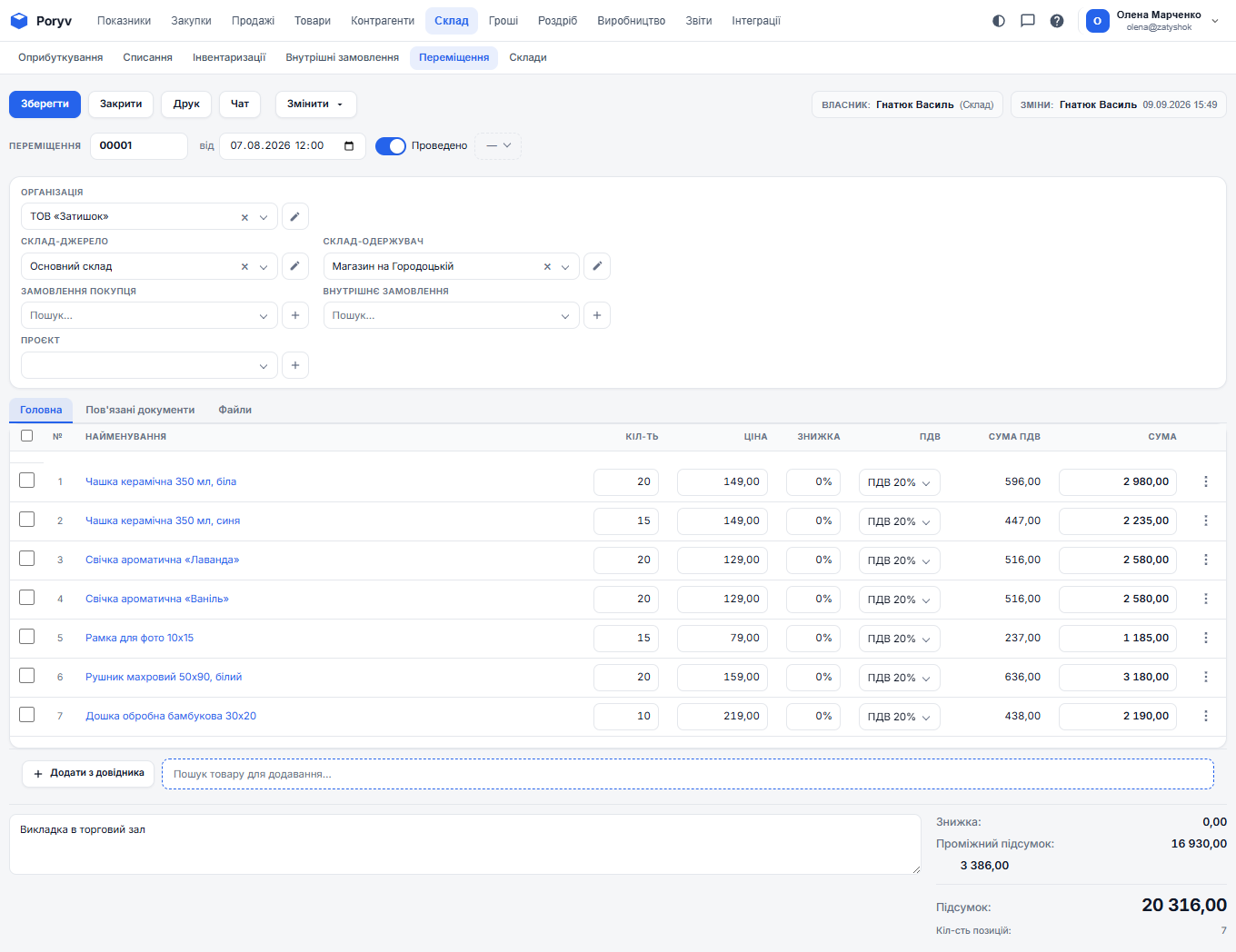
When you take goods from the warehouse to the shop, create "Warehouse" → "Transfers": source warehouse, destination warehouse, lines. After posting, stock decreases in one warehouse and increases in the other. Cost does not change.
What to do if stock does not match reality
Count the goods and create a stock count: the program compares the count with its data and helps to settle the difference. How to do it: How to do a stock count.
For the movement of goods over a period (how much came in and went out), see the "Turnover" report.
Updated: