Employees
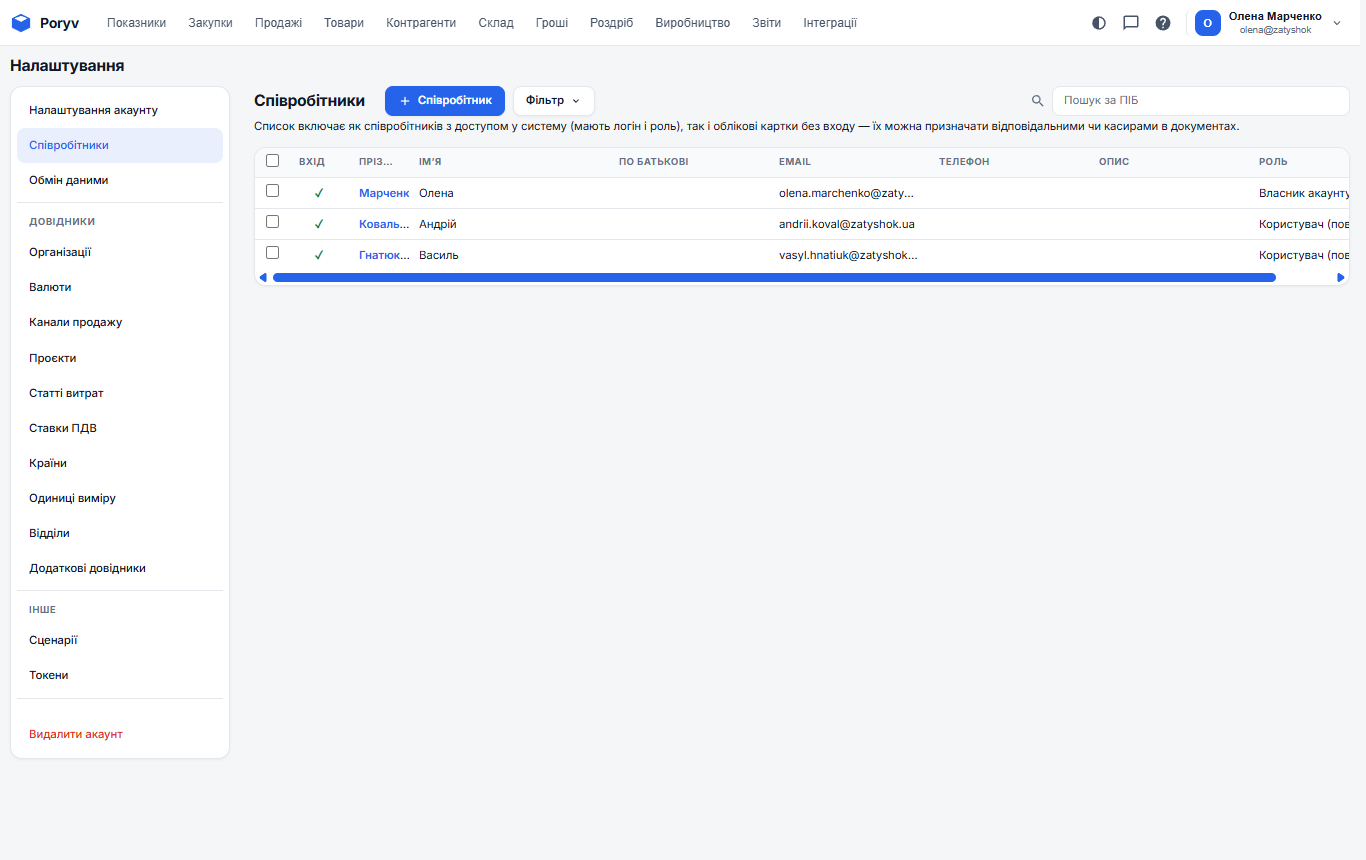
The "Employees" card: the list of fields and how they work.
The "Employees" card: the list of fields and how they work.
What it is
An employee is a person who works in your company. If they need access to the program, enable access and assign a role: the role defines which sections they see and what they can change. Employees are also selected as the "owner" of documents.
Card fields
| Field | Description |
|---|---|
| Назва | Text. |
| Дата оновлення | A date, shown in your time zone. |
| Дата створення | A date, shown in your time zone. |
| Архівний | A checkbox: on or off. |
| Обліковий запис | A reference to a dictionary, chosen from a list. |
| Роль | Text. |
| Системна роль | Text. |
| Доступ активний | A checkbox: on or off. |
| Ім'я | Text. |
| Прізвище | Text. |
| По батькові | Text. |
| ПІБ | Text. |
| Прізвище на ініціали | Text. |
| ІПН | Text. |
| Text. | |
| Логін | Text. |
| Телефон | Text. |
| Відділ | A reference to a dictionary, chosen from a list. |
| Іменована роль | A reference to a dictionary, chosen from a list. |
| Посада | Text. |
| Дата прийому на роботу | A date, shown in your time zone. |
| Оклад | A number. |
| Зображення | Text. |
| Відповідальний співробітник | A reference to a dictionary, chosen from a list. |
| Загальний доступ | A checkbox: on or off. |
| Коментар | Text. |
| Зовнішній код | Text. |
The "Employees" list supports filtering, column setup (the gear icon), export to XLSX and CSV, and import from a file.
Updated: